Product
See DocuForge AI
in action
Explore the dashboard where your code transforms into structured, publishable documentation.
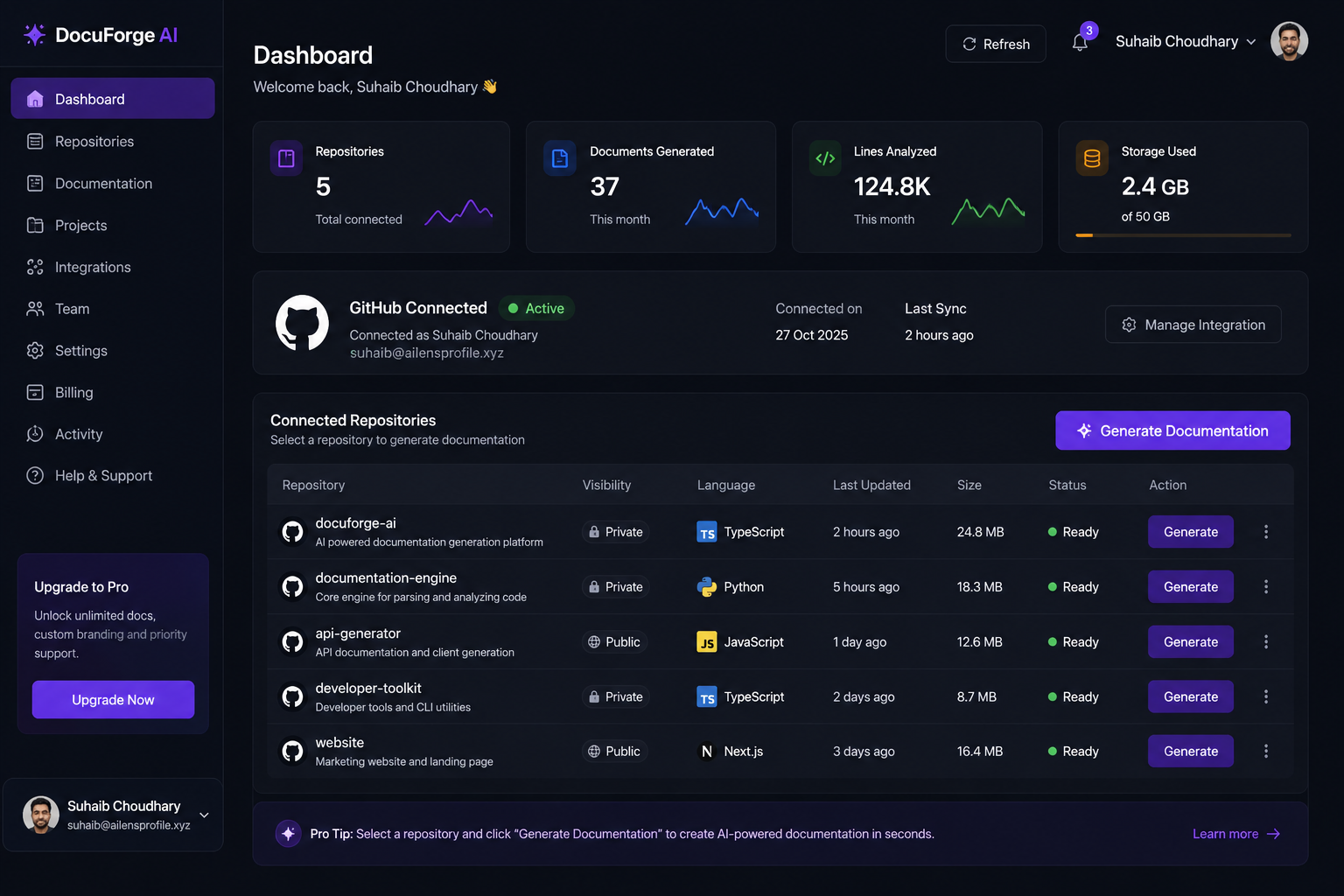
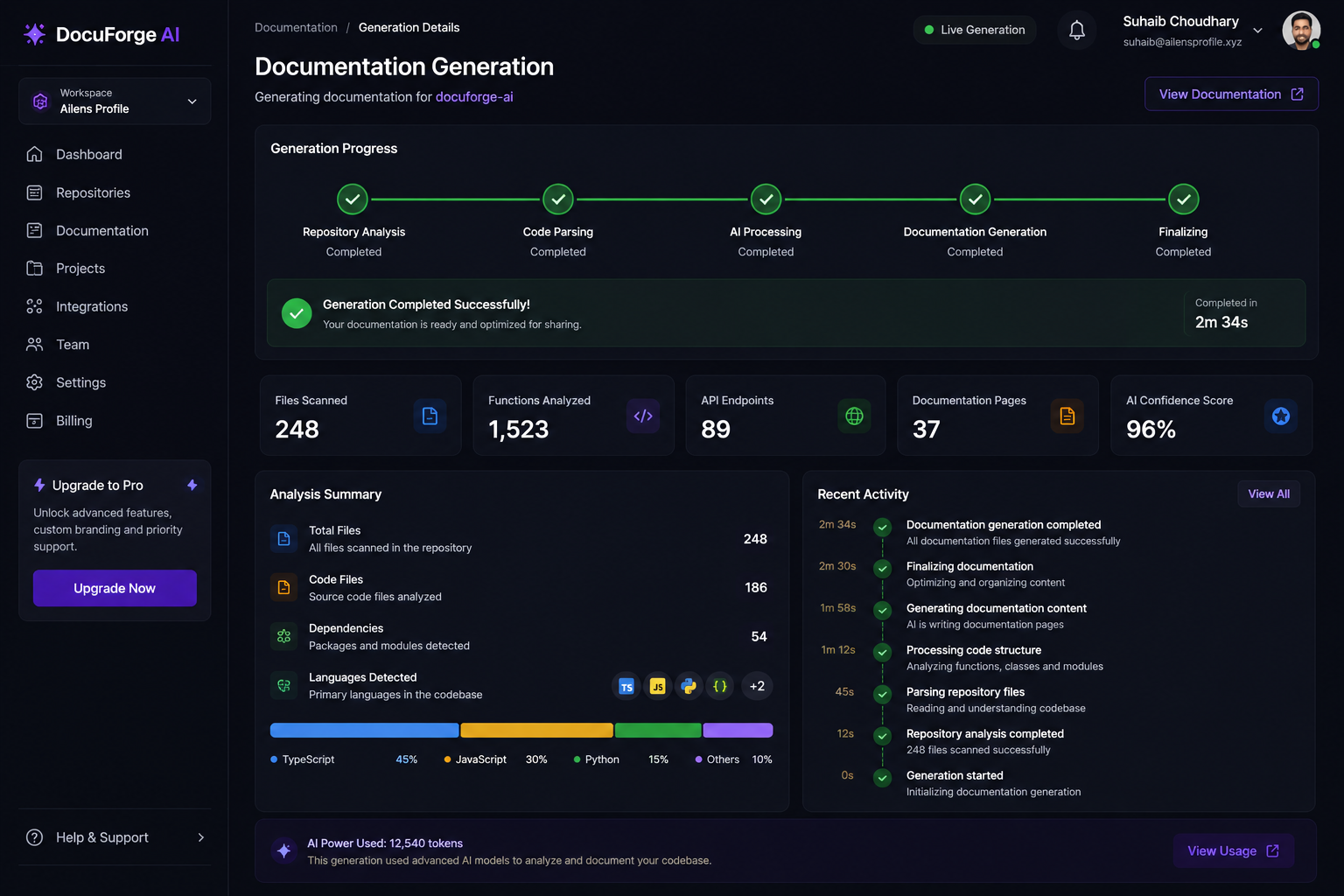
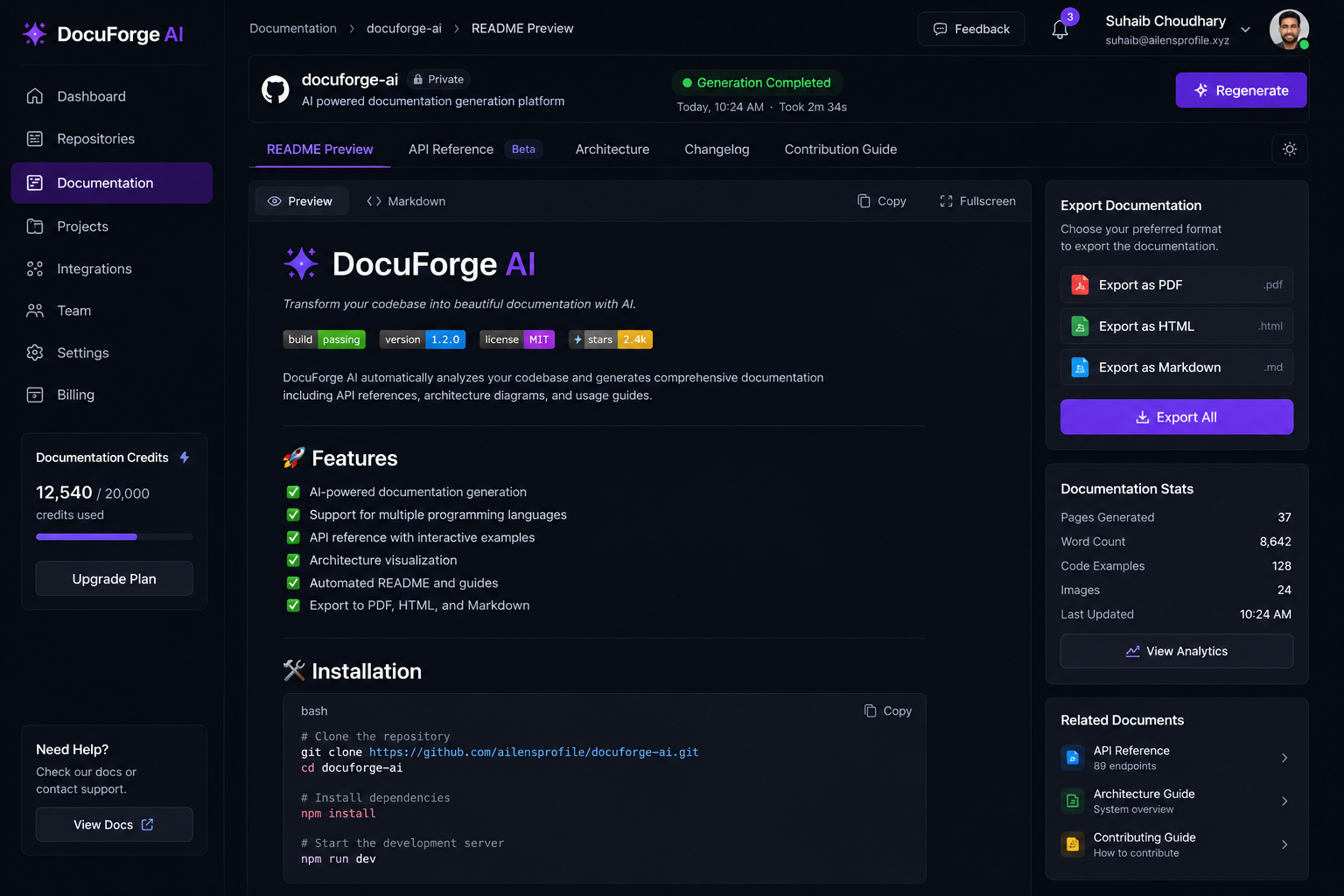
Generate technical documentation, API references, onboarding guides, architecture summaries and release notes automatically using advanced AI.
Handles user authentication with bcrypt password hashing and JWT token generation. Requires a valid email and password combination.
POST /api/auth/login
email string, required — User email address
password string, required — User password
JWT access token (string) valid for 24 hours
Explore the dashboard where your code transforms into structured, publishable documentation.
Link your GitHub repository with a single click. We support public and private repos with secure OAuth authentication.
Our AI engine analyzes your codebase structure, dependencies, functions, classes and relationships in seconds.
Professional documentation is generated automatically — README, API references, architecture maps and onboarding guides.
Download your docs in Markdown, HTML or PDF. Push directly to your repo or share with your team instantly.
Ten powerful tools that transform how your team creates and maintains documentation.
Connect any public or private repository. OAuth-based authentication keeps your code secure.
Auto-generate professional README files with installation steps, usage examples and badges.
Generate complete API references with endpoints, parameters, response schemas and code examples.
Visualize your codebase structure with auto-generated architecture diagrams and dependency graphs.
Create step-by-step onboarding docs so new team members get productive on day one.
Auto-generate changelogs and release notes from your commit history and PR descriptions.
Build a searchable knowledge base your whole team can access, update and collaborate on.
Export polished, print-ready PDF documentation for stakeholders and compliance needs.
Generate responsive HTML documentation sites ready to deploy on any hosting platform.
Output clean Markdown files that integrate directly with GitHub, GitLab and documentation tools.
I'm Suhaib Choudhary. Every project I worked on had the same problem — the code moved fast but the docs never kept up. README files were outdated within a week. API references were missing. New developers spent their first week just figuring out how things worked because nobody had written it down.
I started building DocuForge AI as a side project — a script that could read a codebase and write a decent README. It worked better than expected. I showed it to a few developer friends, and they all said the same thing: "I need this yesterday." That's when I knew this wasn't just a script — it was a product.
Today, DocuForge AI is the documentation layer I wish I had on every team I've worked with. It doesn't replace human judgment, but it handles the 90% of documentation work that nobody wants to do manually. My goal is simple: make documentation a by-product of writing code, not a separate chore.
— Suhaib Choudhary, Founder
Full-stack developer and AI product builder. Passionate about developer experience and the tools that make engineering teams move faster. Building DocuForge AI to solve the documentation problem once and for all.
Start free and scale as your team grows. No hidden fees, no lock-in contracts.
Perfect for side projects and open source
For teams shipping production software
For engineering organizations at scale
DocuForge AI uses advanced language models to parse your repository's file structure, read function signatures, class definitions, imports and comments. It builds an abstract understanding of your codebase's architecture and generates human-readable documentation based on that analysis. Your code is processed securely and never stored after documentation is generated.
No. Your source code is processed in real-time and discarded immediately after documentation is generated. We never store, log or retain your code on our servers. Only the generated documentation output is saved to your account, and you can delete it at any time.
DocuForge AI supports all major programming languages including JavaScript, TypeScript, Python, Java, Go, Rust, C++, Ruby, PHP, Swift and Kotlin. Our AI model is trained on diverse codebases and can understand mixed-language projects with multiple frameworks and libraries.
Our documentation achieves 97% accuracy in internal benchmarks across function descriptions, parameter documentation and architectural summaries. The AI cross-references code patterns, type annotations and comments to produce contextually accurate output. You can always review and edit the generated docs before publishing.
Yes. DocuForge AI supports custom templates, tone settings and format preferences. You can choose between formal technical documentation, casual developer guides or structured API references. Business plan users can create fully custom templates that match their brand and documentation standards.
If you cancel, you keep access to all previously generated documentation. Your account downgrades to the free Starter plan at the end of your billing period. You can export all your docs before cancellation, and we provide a 30-day grace period to download any remaining files.
Absolutely. We use OAuth-based authentication to securely access your private repositories. Your credentials are never stored — we use short-lived access tokens. All data transmission is encrypted with TLS 1.3, and our infrastructure meets SOC 2 Type II security standards.
On Pro and Business plans, documentation can be set to auto-update on every push to your main branch. You can also configure webhook triggers for specific branches, schedule daily or weekly regeneration, or manually trigger updates from the dashboard at any time.
Yes, and we encourage it. Our free Starter plan is designed specifically for open source projects and side projects. We believe every open source project deserves great documentation, and we're committed to keeping the free tier generous and useful for individual contributors.
DocuForge AI supports Markdown (.md), HTML and PDF export formats. Markdown files can be pushed directly to your repository. HTML output generates a complete static documentation site. PDF export produces print-ready documents suitable for stakeholder reviews and compliance audits.